Nesting for Real Manufacturing Jobs
Import CAD geometry, compare nesting layouts, and review results before export. Keep control of quantities, stock sizes and clearances, with optional AI suggestions for you to review.
Illustrative layout. The figure is computed from the parts shown.
CAD Review and Nesting Tools
Work from your CAD geometry, compare nesting layouts, and review optional AI suggestions before making changes.
CAD Geometry Review
Review imported contours and source references, with optional AI suggestions for you to accept, correct or reject.
Nesting Strategy Comparison
Compare layouts using your required quantities, available stock and clearance settings.
Interactive Nesting Canvas
Adjust placements manually with drag/rotate controls, undo/redo, and collision feedback.
Multi-Format Export
Export optimized layouts to DXF, SVG, PDF, and G-Code for production workflows.
Project Collaboration
Share projects with viewer/editor/admin roles and track run history per project.
Cloud-Native
No installation required. Access from anywhere, always up-to-date, with modern UX.
How it works
Get from DXF to CNC-ready output in four simple steps
Upload Parts
Import DXF files, draw shapes manually, or select from your parts library.
Define Sheets
Set your sheet sizes, material types, and cutting parameters.
Auto-Nest
Click the nest button and let our AI optimize part placement automatically.
Export & Cut
Export your optimized layout to DXF and send it to your CNC machine.
Built for Production Workflows
Every feature designed to save time and material in real manufacturing environments.
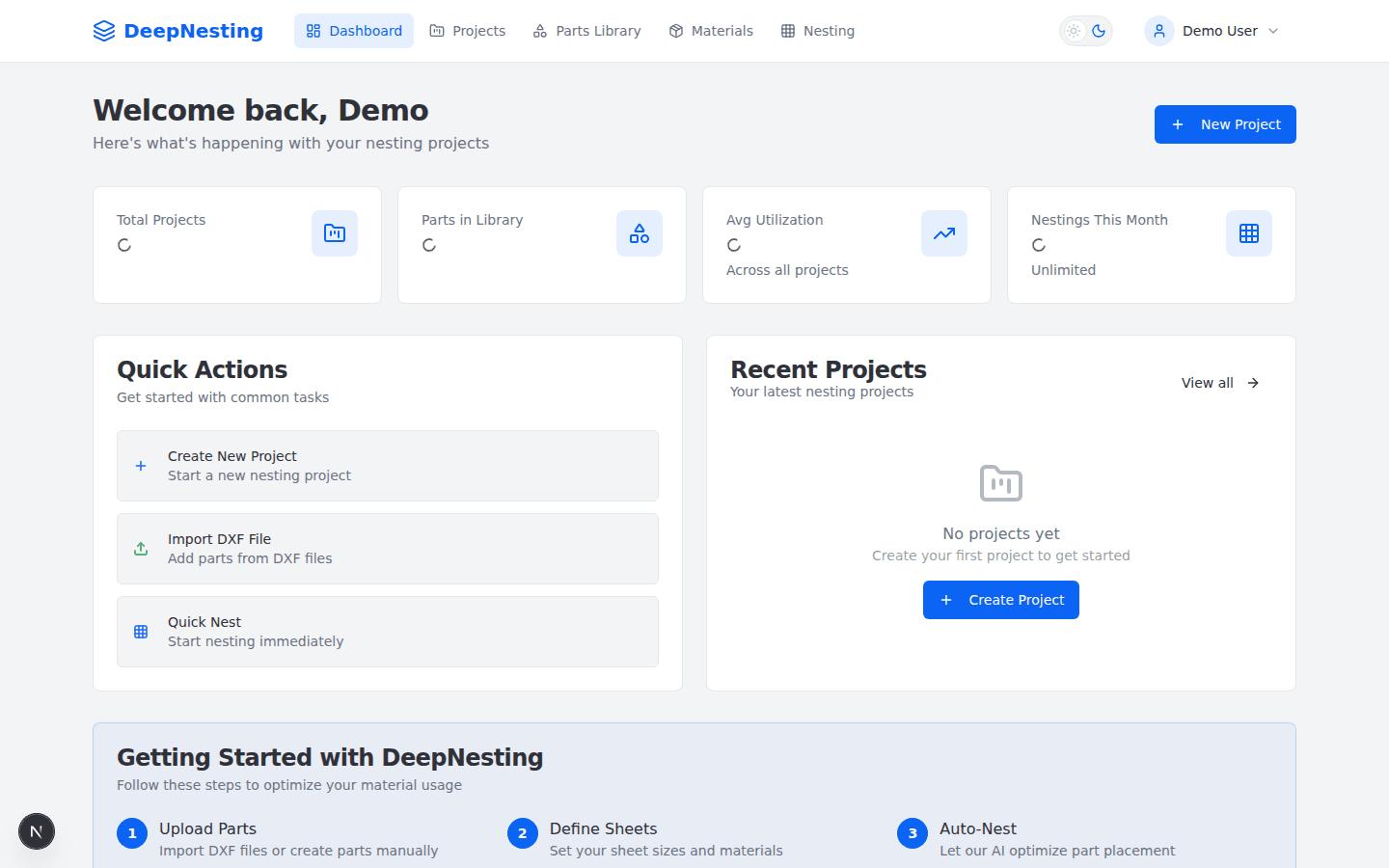
Powerful Dashboard
Get a bird's-eye view of your projects, material utilization, and quick actions — all in one place.
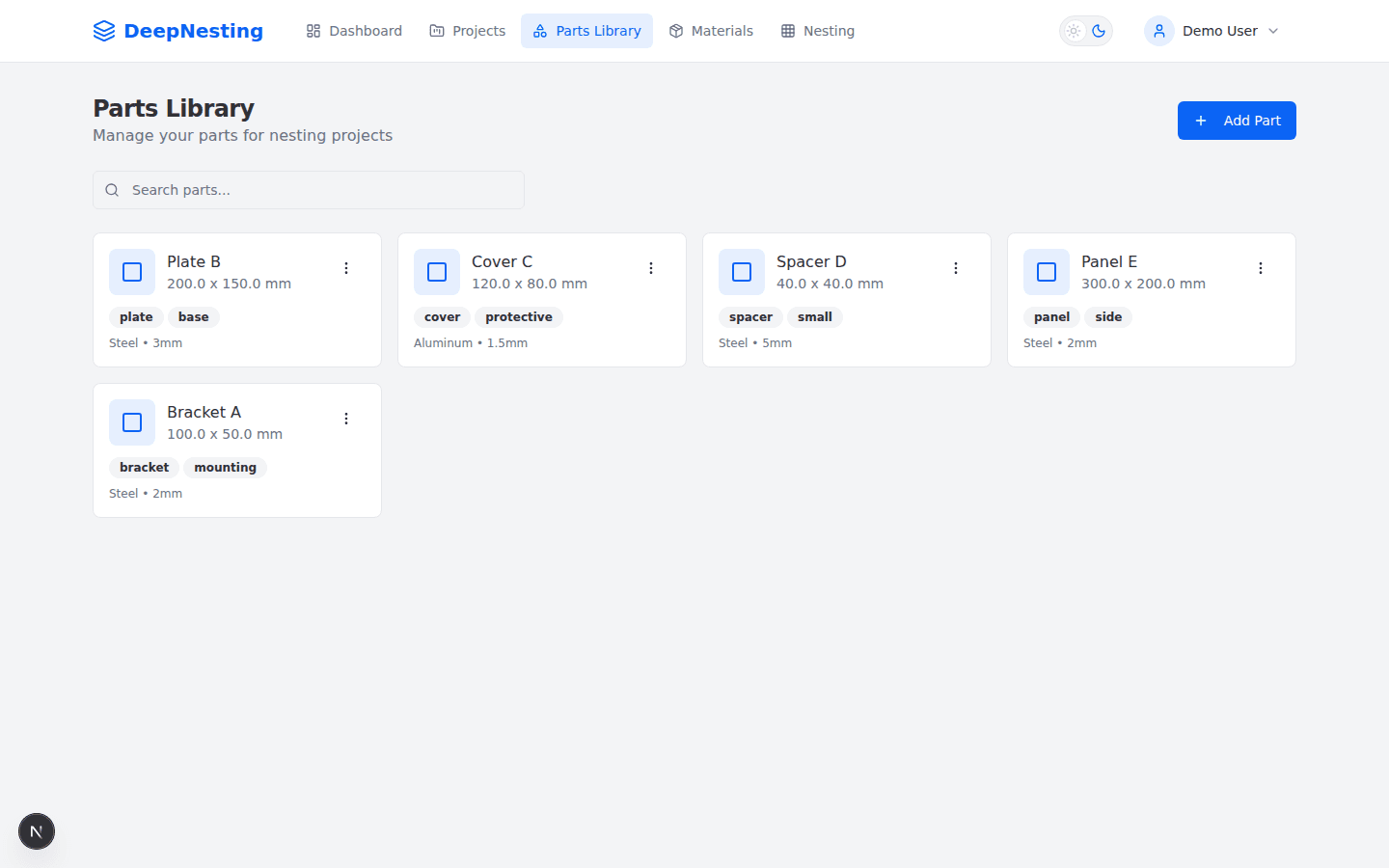
Parts Library
Organize and manage your parts with dimensions, materials, and tags. Import from DXF or create manually.
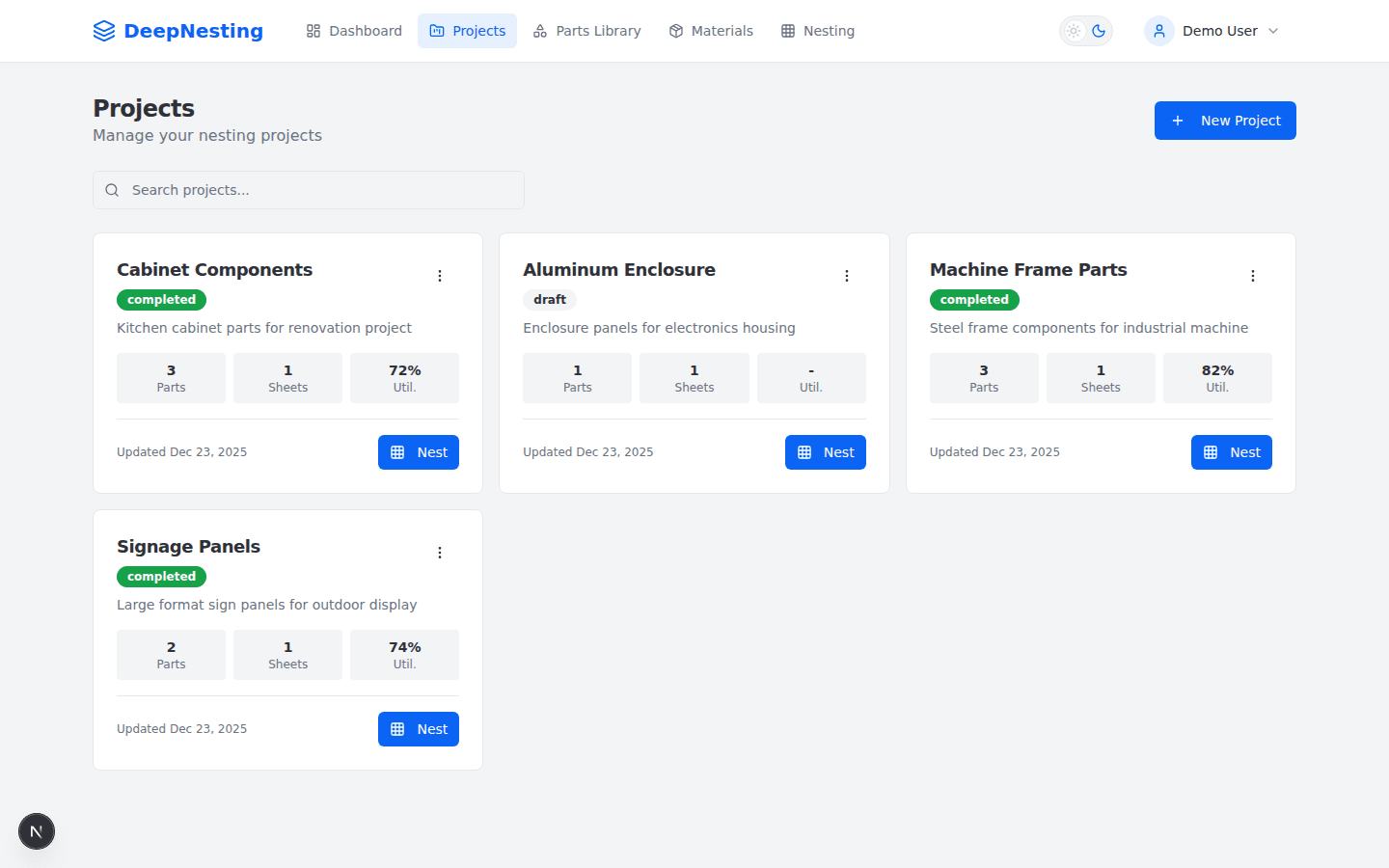
Project Management
Track nesting projects with real-time progress, utilization stats, and one-click optimization.
Frequently asked questions
Everything you need to know about DeepNesting
DeepNesting supports DXF and DWG for CAD import. You can also define simple rectangular parts manually. For export, we support DXF, PDF, SVG, and G-Code.
The optimizer compares placements and permitted rotations using your part quantities, stock dimensions and clearance settings. Geometry checks apply to the resulting layouts. Results depend on the parts, available stock and search time; you can review and adjust a layout before export.
Free accounts include monthly nesting credits. Paid plans are not credit-limited. Large nests are supported, but runtime depends on geometry complexity and selected strategy.
Yes! DeepNesting works with any flat material including sheet metal, wood, plastic, fabric, leather, and composites. You can define different sheet sizes and thicknesses for each material type.
DeepNesting is web-based and requires an internet connection. Nesting and exports run in the browser once your project data is loaded.
Simply click the Export button and choose DXF format. The exported file will contain all nested parts with their exact positions and rotations. This file can be directly loaded into most CNC control software.
Stop nesting by hand.
Join the beta and cut your first optimized sheet today.